Member Perks
Free- 1,200 daily AI credits
- Use credits for grammar or consistency checks
- £1.99 same-day download pass

Fill PDF forms easily
Looks for possible spelling, format, and consistency issues. Not legal advice.
Use AI credits for grammar or consistency checks. Members get 1,200 daily credits; subscribers get 6,000.
Checking...
Proofreading only. Not legal advice.
Free users get 300 daily AI credits. Members get 1,200 daily credits; subscribers get 6,000.
Checking...
Use plain text or CSV files with names, addresses, numbers, postcodes, dates, or short answers.
Add one answer per line.
No suggestion sources added.
Add a TXT/CSV file or paste text to start using suggestions.
Choose free member access or subscriber perks.
Join with Google to use AI check credits.
6,000 daily AI credits and unlimited downloads for £5.99 per month.
DOCX files are converted to PDF before editing.
Choose a PDF from your device. Flat forms are supported.
Continue a local FormFillPDF save file without uploading your answers.
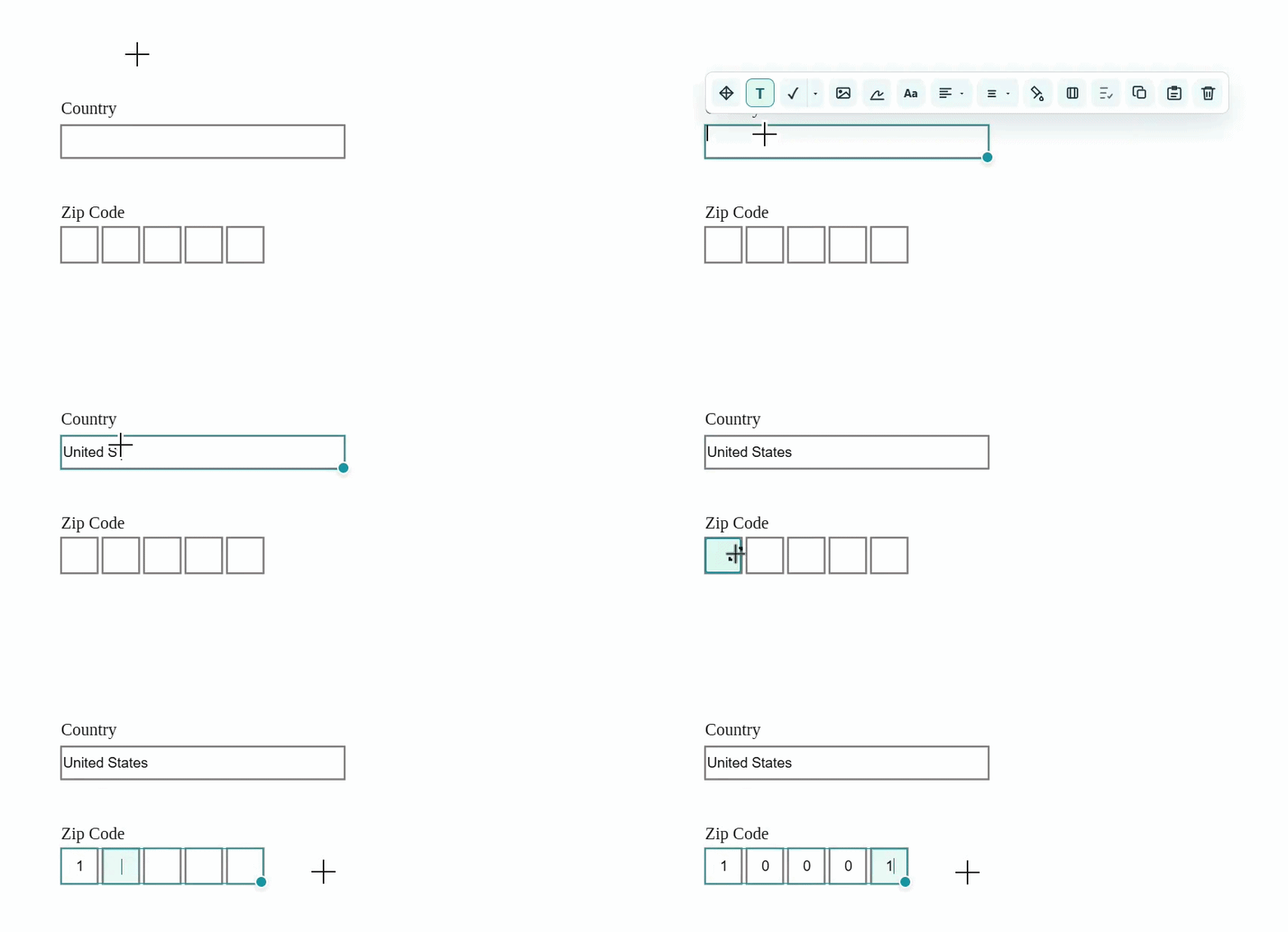
Click inside a form box to create a textbox that fits the detected field.
Add a blank page, add an image as a page, or append pages from another PDF.
Click and drag over date, postcode, or character boxes to create editable one-character boxes.
Hold Shift and drag on the page to select every text or line box inside the rectangle.
Drag this icon to move the selected box. Shift-select boxes to move several at once.
Use normal text entry for names, addresses, explanations, and short answers. The toolbar hides while typing and returns after a pause.
Add a horizontal line inside a box for crossing through answers or filling line-style form fields.
Speak into a selected textbox and watch dictated words appear as text.
Click to insert the default symbol. Use the arrow to choose another symbol.
Add an image inside a box. It keeps its proportions when resized.
Draw directly inside the selected box. Resize afterwards if needed.
Use the sticky pen to write anywhere on the page, then move or resize the created drawing box.
Copy the selected box. Ctrl+C copies the whole box when no text is selected.
Paste a copied box onto the current page. Ctrl+V works too.
Add colour behind a box. Empty coloured boxes are kept when you click away.
Add a border, then set its colour, width, and corner radius.
Remove the selected box. Delete or Backspace also removes selected boxes.
Adjust font size and character spacing for the selected text box.
Align text left, centre, right, or justified, then set vertical alignment to top, middle, or bottom.
Hold Shift while moving for dotted alignment guides, or while resizing to keep a box in proportion.
Checks grammar and spelling only. You choose whether to accept the suggestion.
Right click the PDF to replace text, select boxes, copy, paste, or delete.
Save creates a local .ffp file so you can continue later.
Download creates a completed PDF with your entries embedded into the file. A £1.99 payment unlocks same-day downloads on this browser. See the Refund and Cancellation Policy for download day pass terms.
Use Add a password in the save window if you want the completed PDF to require a password when opened.
Members can check typed answers for possible typos, format issues, and inconsistent spellings before downloading.
Subscribers get unlimited completed PDF downloads while their subscription is active.
Open the save window for the current document.
Copies selected boxes when no text inside a textbox is highlighted.
Cuts all selected boxes when no text inside a textbox is highlighted.
Pastes copied boxes as boxes, preserving their size and style.
Undo the last edit. Use Ctrl+Y or Ctrl+Shift+Z to redo.
Hold Shift while moving for alignment guides, resizing to keep proportions, or rotating to snap to clean angles.
Shift+Up increases font size. Shift+Down decreases it.
Shift+Right increases spacing. Shift+Left decreases it.
Ctrl+Click places the currently selected symbol quickly.
Ctrl+Alt+Click samples the PDF background and fills a box to blank an area quickly.
Choose whether FormFillPDF can use analytics cookies.
Add a blank page, image page, or pages from another PDF.
This page will be removed from the PDF.
You can bring it back using Undo.
Save the completed PDF. Editable FormFillPDF data is kept inside the PDF.
This PDF is password protected. Enter the password to open it.